In This Article
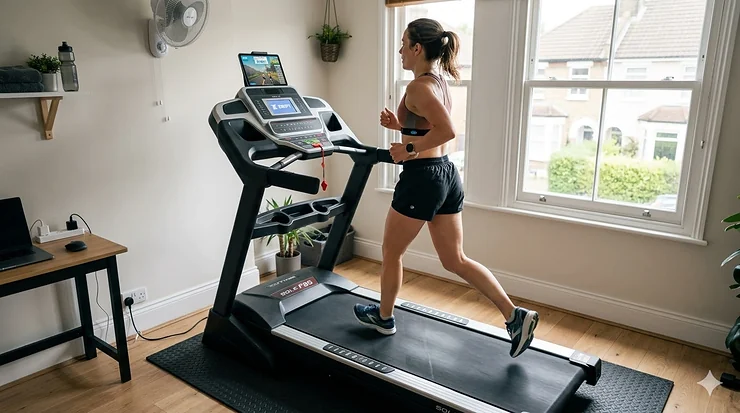
Picture this: it’s chucking it down outside, the pavements are slick with rain, and daylight’s scarce at 5pm. Yet you’re miles into a sun-drenched virtual run through Watopia, competing with runners from Tokyo to Toronto, all from the comfort of your spare bedroom. Welcome to the world of Zwift-compatible treadmills—where gaming meets genuine fitness gains.
The convergence of virtual training platforms and home fitness equipment has revolutionised the indoor exercise landscape. Unlike traditional treadmill sessions that can feel like watching paint dry, connecting your treadmill to Zwift transforms monotonous belt-pounding into an immersive adventure. Whether you’re training for your first 5K or your tenth marathon, a Zwift-compatible setup can be the difference between abandoning your goals come January and actually crushing them.
This comprehensive guide unpacks everything you need to know about the zwift compatible treadmill uk setup guide—from understanding Bluetooth FTMS technology to selecting the perfect model for your budget and space constraints. We’ll walk you through seven thoroughly researched treadmills available in the UK market, covering options from under £500 to premium commercial-grade machines. By the end, you’ll know exactly which setup suits your running style, how to connect it seamlessly, and why thousands of UK runners are ditching their gym memberships for virtual training platforms.
Quick Comparison Table: Top Zwift-Compatible Treadmills UK
| Treadmill Model | Price (£) | Top Speed | Incline | Bluetooth FTMS | Best For | UK Delivery |
|---|---|---|---|---|---|---|
| JTX Sprint-7 | £999-£1,149 | 20 km/h | 12% | ✅ Yes | Mid-range runners | Free UK |
| NoblePro Elite E8s | £1,599 | 20 km/h | 16% | ✅ Yes | Serious athletes | Free + Install |
| NoblePro Elite E10i | £2,969 | 22 km/h | 16% | ✅ Yes | Premium experience | Free + Install |
| Bodytrain Acacia Pro | £600-£700 | 20 km/h | 15% | ✅ Yes | Budget-conscious | Free UK |
| Zwift RunPod (Foot Pod) | £36.99-£39.99 | N/A | N/A | ✅ Yes | Any treadmill | Standard |
| Flow Fitness PERFORM T2i | £1,200-£1,400 | 20 km/h | 15% | ✅ Yes | Premium build | Free UK |
| JTX Sprint-9 Pro | £1,799-£1,999 | 22 km/h | 15% | ✅ Yes | Commercial specs | Free UK |
💬 Just one click – help others make better buying decisions too! 😊
Top 7 Zwift-Compatible Treadmills: Expert Analysis
1. JTX Sprint-7 – Best Value Mid-Range Treadmill
Price: £999 (Sale Price, usually £1,149)
The JTX Sprint-7 sits in that sweet spot where affordability meets genuine quality. This UK-manufactured treadmill from JTX Fitness has earned its reputation as one of Britain’s best-selling home treadmills, and for good reason. At just under a grand, you’re getting commercial-standard engineering without the commercial price tag.
Key Specifications:
- 2.5 HP motor with 20 km/h (12.4 mph) top speed
- Powered incline up to 12% (15 levels)
- 145 cm × 51 cm running deck with CushionStep™ technology
- 7-inch backlit LCD display
- Direct Bluetooth connectivity to Zwift and Kinomap
- Hydraulic-assisted folding mechanism
- 130 kg maximum user weight
UK buyers consistently praise the Sprint-7’s robust build quality and excellent customer service from JTX. The treadmill features a generous running surface that accommodates longer strides comfortably, whilst the multi-point cushioning system reduces joint impact by up to 30%—crucial for those marathon training blocks when you’re logging serious mileage.
What sets the JTX Sprint-7 apart is its seamless Zwift integration. The moment you power it on, your tablet or smartphone discovers it via Bluetooth FTMS (more on this protocol later). Your speed, distance, and calories burnt feed directly into Zwift’s virtual worlds, making your avatar mirror your real-world effort.
Real UK Customer Feedback: Buyers on Amazon.co.uk mention the professional gym-like feel, though some heavier runners (over 15 stone) report occasional speed inconsistencies during longer sessions. The 3-year in-home warranty with engineer callouts is genuinely reassuring—JTX will send technicians to your door rather than forcing you to box up a 70kg machine.
✅ Pros:
- Outstanding value for money
- Excellent customer service and warranty
- Smooth, quiet operation
- Direct Zwift connectivity
❌ Cons:
- May struggle with users over 95 kg on extended runs
- Display less sophisticated than premium models
Best For: Intermediate runners seeking a reliable, well-built treadmill for regular Zwift sessions without breaking the bank.
2. NoblePro Elite E8s – Premium British Engineering
Price: £1,599 (or from £40/month financing)
Step up to the NoblePro Elite E8s, and you’re entering territory that rivals commercial gym equipment. This is a UK-designed treadmill built by runners, for runners, with features that’ll make sense the moment you start your first Zwift session.
Key Specifications:
- 3 CHP (4.2 HP) industrial-grade motor
- 20 km/h top speed with rapid acceleration
- 16% maximum incline (one of the highest in this price range)
- 150 cm × 52 cm running deck with RunFlex cushioning
- 8-inch LCD screen
- Full Bluetooth FTMS with virtual foot pod functionality
- Folding deck design
- Lifetime Kinni app membership included
Multiple UK marathon runners credit the NoblePro E8s with helping them achieve even splits during race preparation. The treadmill’s standout feature is its comprehensive Bluetooth implementation—it doesn’t just send speed data; it transmits cadence, step count, and even broadcasts heart rate data to Zwift when you’re using a chest strap.
The NoblePro Elite E8s connects to Zwift with zero fuss. Within seconds of opening the app, your treadmill appears as a device option. NoblePro treadmills feature a built-in virtual foot pod that broadcasts both FTMS data and foot pod data for maximum compatibility, meaning Zwift receives redundant data streams for ultimate reliability.
Real UK Customer Feedback: Buyers rave about NoblePro’s customer support, with founder Stuart Middlecoate personally responding to setup queries. One user noted: “Trained for my marathon on it and had the most even splits ever for the entire distance.” The treadmill’s accuracy is exceptional—GPS-verified testing shows less than 1% variance from actual speed.
✅ Pros:
- Commercial-grade build quality
- Exceptional Zwift connectivity with virtual foot pod
- Outstanding UK customer support
- Free delivery and installation to ground floor
- Lifetime Kinni app membership
❌ Cons:
- Price point may stretch budgets
- Folding mechanism requires clearance space
Best For: Serious runners who want commercial quality at home, with flawless Zwift integration and UK-based support.
3. NoblePro Elite E10i – The Ultimate Home Treadmill
Price: £2,969 (Flagship model)
If money’s no object and you want the absolute pinnacle of Zwift-compatible treadmills, the NoblePro Elite E10i is in a class of its own. This isn’t just a treadmill—it’s a complete training ecosystem with a 15.6-inch Android touchscreen that runs Zwift natively. No phone, tablet, or laptop needed.
Key Specifications:
- 4.2 HP industrial DC motor
- 22 km/h (13.7 mph) maximum speed
- 16% maximum incline with precise 0.1% increments
- 155.5 cm × 58 cm fixed running deck (largest in range)
- 15.6-inch HD Android touchscreen with pre-installed apps
- Full Bluetooth FTMS, RSC, and HRM support
- Built-in Spotify, Netflix, YouTube, Prime Video
- Automatic firmware updates via WiFi
- Dual-channel speakers and fan
The E10i is powered by an industrial-grade motor facilitating speeds from 1 to 22 km/h and incline capability from 0 to 16%. The spacious running deck with RunFlex cushioning technology mimics the feel of an athletics track—a feature elite runners immediately notice.
What makes the NoblePro Elite E10i extraordinary is its integrated ecosystem. Zwift runs directly on the treadmill’s screen, eliminating connection hassles entirely. You’re not casting from a tablet or squinting at your phone—you’ve got a proper 15.6-inch HD display at eye level. Between intervals, switch to Netflix without breaking stride. The seamless app switching revolutionises long run entertainment.
Real UK Customer Feedback: Professional athletes and serious amateurs consistently rate this their top choice. The build quality feels bulletproof, with components designed for commercial gym durability. Several UK-based coaches use the E10i for athlete assessments because of its precision speed and incline control.
✅ Pros:
- Zwift runs natively on treadmill screen
- Commercial-grade durability
- Largest running surface in range
- Entertainment apps built-in
- Exceptional accuracy and control
❌ Cons:
- Premium price point
- Fixed deck (doesn’t fold)
- Requires dedicated space
Best For: Elite athletes, serious marathon trainers, or those wanting the absolute best Zwift experience without compromise.
4. Bodytrain Acacia Pro – Best Budget Bluetooth Option
Price: £600-£700
Budget-conscious runners needn’t miss out on the Zwift revolution. The Bodytrain Acacia Pro proves you don’t need four-figure sums for Bluetooth FTMS connectivity and solid performance.
Key Specifications:
- 3 HP motor (continuous)
- 20 km/h top speed
- 15-stage motorised incline
- Bluetooth connectivity to Kinomap, FitShow, and Zwift
- 12 pre-programmed workouts
- Hydraulic lift and fold mechanism
- Compatible with multiple fitness apps
The Acacia Pro features a 3 horsepower motor that quickly and smoothly speeds the durable running belt up to 20 km/h, matching the top speed of treadmills costing twice as much. The 15-stage motorised incline combined with Bluetooth connectivity means Zwift can automatically adjust your gradient to match virtual terrain.
What you sacrifice at this price point is build refinement and advanced features. The display is basic, the running deck slightly smaller, and the motor can sound laboured at top speeds under heavy users. However, for recreational runners doing 3-5 Zwift sessions weekly, it’s genuinely fit for purpose.
Real UK Customer Feedback: Amazon.co.uk reviews highlight excellent value, though assembly can be fiddly. Users recommend the hydraulic folding mechanism, which makes storage surprisingly easy in UK homes where space is premium. The Bluetooth connection to Zwift is reliable, though initial pairing requires patience.
✅ Pros:
- Exceptional value under £700
- Full Bluetooth FTMS compatibility
- Hydraulic folding for compact storage
- 15 incline levels
❌ Cons:
- Build quality below premium models
- Motor can be noisy at higher speeds
- Smaller running deck
- Basic display
Best For: Budget-conscious runners, beginners exploring Zwift, or those with space constraints requiring a folding design.
5. Zwift RunPod – Universal Foot Pod Solution
Price: £36.99-£39.99
Here’s the plot twist: you don’t necessarily need a smart treadmill at all. The Zwift RunPod (originally called MilestonePod) turns any treadmill—even that ancient belt-squeaker at your local gym—into a Zwift-compatible machine.
Key Specifications:
- Bluetooth connectivity to Zwift, smartphones, and tablets
- Measures speed, cadence, stride length, foot strike
- Waterproof design clips to any shoe
- Replaceable battery (lasts 6+ months)
- No charging required
- Works indoors and outdoors
- Compatible with multiple fitness apps
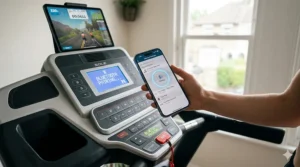
The Zwift RunPod gives runners a cost-effective way to get into the game without the need of expensive GPS watches or pods. You simply clip it to your shoe laces, open Zwift on your device, and it pairs automatically via Bluetooth. Your avatar moves in Zwift’s virtual worlds matching your actual pace.
The catch? Accuracy. In testing, the Zwift RunPod delivers acceptable accuracy, broadcasting speed, cadence, and distance, though it’s not the most accurate footpod available. Calibration is crucial—you’ll need to run at a known speed on your treadmill and adjust the pod’s settings in Zwift. Done properly, it’s remarkably accurate. Done poorly, you’ll watch your avatar mysteriously slow down mid-sprint.
Real UK Customer Feedback: UK users appreciate the RunPod’s versatility—one device works on any treadmill, at home or travelling. The no-charging aspect is brilliant; just clip and go. Some runners report the adhesive clip loosening during intense sessions, though this is easily remedied with a shoelace threading technique.
✅ Pros:
- Incredibly affordable entry point
- Works with any treadmill
- No charging needed
- Portable for gym and travel
- Provides detailed running metrics
❌ Cons:
- Requires calibration for accuracy
- Can shift during intense runs
- Not as accurate as FTMS treadmills
- Zwift has discontinued official production (limited stock)
Best For: Budget runners, gym users, travellers, or those with non-smart treadmills wanting to try Zwift before investing in new equipment.
6. Flow Fitness PERFORM T2i – Premium Dutch Engineering
Price: £1,200-£1,400
Flow Fitness might not have the brand recognition of some competitors, but their PERFORM T2i is a hidden gem in the UK market—a “real runner’s treadmill” designed with serious training in mind.
Key Specifications:
- Commercial-grade components
- 20 km/h maximum speed
- 15% powered incline
- Direct connectivity to Zwift, Kinomap, and iConsole+
- Engineered fabric belt (50% longer lifespan)
- Advanced shock absorption system
- Heavy-gauge steel frame
- Comprehensive warranty
Flow Fitness PERFORM T2i delivers exceptional quality, durability, and performance, designed as a premium real runner’s treadmill. The Dutch manufacturer focuses on engineering over flashy marketing, resulting in thoughtful features that distance runners genuinely appreciate.
The running belt deserves special mention—Flow Fitness uses engineered fabric construction that reportedly lasts 50% longer than standard PVC belts. For high-mileage Zwift users logging 50+ kilometres weekly, this durability proves invaluable. The shock absorption system also receives praise from runners with knee concerns.
Real UK Customer Feedback: UK buyers particularly value the European build quality and responsive customer service. The treadmill connects seamlessly to Zwift via Bluetooth, with automatic incline adjustment matching virtual terrain perfectly. Several users migrated from gym memberships specifically because the T2i replicates the commercial treadmill experience.
✅ Pros:
- Exceptional build quality
- Engineered fabric belt for longevity
- Smooth, powerful motor
- European design and support
- Excellent shock absorption
❌ Cons:
- Less brand recognition than JTX or NoblePro
- Mid-range price without touchscreen
- Availability can be limited
Best For: Dedicated runners prioritising durability and engineering quality, particularly those logging high weekly mileage on Zwift.
7. JTX Sprint-9 Pro – Commercial Specifications for Home
Price: £1,799-£1,999
The JTX Sprint-9 Pro represents JTX Fitness at their finest—a commercially-specified treadmill engineered for home use, with the performance metrics serious runners demand.
Key Specifications:
- 4 HP motor (most powerful in JTX range)
- 22 km/h maximum speed
- 15% powered incline
- 153 cm × 52 cm cushioned running deck
- Large LED display
- Bluetooth connectivity to Zwift and Kinomap
- 36 preset workout programmes
- 3-year home repair warranty
- 10-year motor and frame parts warranty
The Sprint 9 Pro comes with a strong 4HP motor which can achieve a maximum speed of 22 km/h and power incline of up to 15%. This extra horsepower isn’t just marketing fluff—you feel it in smoother acceleration, quieter operation under load, and the confidence that your treadmill won’t struggle during HIIT sessions.
The JTX Sprint-9 Pro occupies interesting territory: it’s commercial-grade quality without the E10i’s premium price. You sacrifice the integrated touchscreen and entertainment apps, but gain a proven British brand with exceptional after-sales support. The running deck is spacious enough for taller runners to stretch their stride, whilst the cushioning system keeps your joints happy through high-mileage weeks.
Real UK Customer Feedback: Users consistently mention the Sprint-9 Pro’s gym-quality feel. The motor handles elite-level speeds without strain, remaining relatively quiet even at 22 km/h. JTX’s warranty is genuinely industry-leading—that 3-year in-home repair warranty includes parts, labour, and engineer callouts. No questions asked.
✅ Pros:
- Commercial-grade 4HP motor
- Elite-level speeds (22 km/h)
- Spacious running deck
- Outstanding UK warranty
- Proven reliability
❌ Cons:
- No integrated touchscreen
- Price approaches premium territory
- Requires dedicated space (doesn’t fold)
Best For: Experienced runners and athletes wanting commercial performance at home, with top speeds for interval training and sprint work.
✨ Don’t Miss These Exclusive Deals!
🔍 Take your virtual running to the next level with these carefully selected products. Click on any highlighted item to check current pricing and availability on Amazon.co.uk. These treadmills will help you create authentic training gains your running mates will envy!
Understanding Bluetooth FTMS: The Technology Behind Zwift Compatibility
Before diving deeper into setup guides, let’s demystify the acronym you’ll encounter repeatedly: FTMS. Understanding this technology helps you make informed purchasing decisions and troubleshoot connection issues.
What is Bluetooth FTMS?
The FiTness Machine Service protocol, better known as FTMS, is the latest Bluetooth standard used to control fitness equipment including treadmills, training bikes, and rowing machines. Think of FTMS as a universal language that allows your treadmill to communicate with Zwift (and other fitness apps) regardless of manufacturer.
Before FTMS, the fitness industry was a mess of proprietary protocols. Your NordicTrack treadmill might work with iFit but not Peloton. Your Technogym bike talked to their app but nothing else. FTMS changed everything by creating an open standard—documented by the Bluetooth Special Interest Group—that any manufacturer can implement.
Why FTMS Matters for Zwift Users
FTMS enables two-way communication between your treadmill and Zwift:
Data from treadmill to Zwift:
- Real-time speed
- Distance covered
- Incline/decline angle
- Heart rate (if monitor connected to treadmill)
- Cadence and step count
- Calories burnt
Commands from Zwift to treadmill:
- Automatic speed adjustment (limited app support)
- Incline changes matching virtual terrain
- Resistance modifications
- Workout control (start/stop/pause)
The FTMS specification includes explicit support for controlling treadmill speed, incline, and even decline on equipment that supports negative gradients. However—and this is crucial—most apps, including Zwift for running, don’t use all available FTMS features. Zwift won’t automatically adjust your treadmill speed; you control that manually. However, incline adjustment works brilliantly when enabled.
FTMS vs Traditional Foot Pods
Traditional foot pods (like the Zwift RunPod) measure your running metrics and broadcast them to apps. They’re portable and work with any treadmill, but they’re not reading from the treadmill itself—they’re estimating based on your foot movement. This requires calibration and can drift in accuracy during varied-pace workouts.
FTMS-enabled treadmills, conversely, send precise data directly from the machine’s computer. Your speed is exactly what the belt’s moving at—no estimation required. The result is pixel-perfect synchronisation between your real and virtual running.
For UK runners wondering whether to invest in a smart treadmill or use a foot pod with their existing machine, accuracy is the deciding factor. Casual runners doing social Zwift sessions twice weekly will find foot pods perfectly adequate. Serious athletes training for specific pace targets need the precision only FTMS can deliver.
How to Set Up Your Zwift-Compatible Treadmill (Step-by-Step UK Guide)
You’ve purchased your treadmill. The delivery drivers have left (after much grunting and squeezing through doorways). Now what? Here’s your comprehensive setup guide.
Step 1: Positioning and Power
Space requirements:
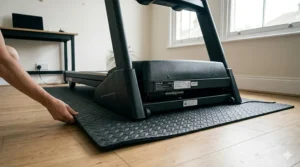
- Minimum 2 metres × 1 metre floor space
- Additional 0.5 metres clearance behind for safety
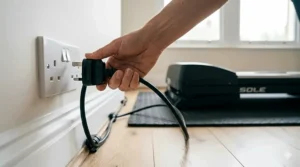
- 230V UK standard power socket nearby (no extension leads recommended)
- Adequate ventilation (you’ll be generating serious heat)
- Firm, level floor (check with spirit level)
Pro tip: Position your treadmill perpendicular to your TV or tablet screen, not facing it directly. Running at 45-degree angles to your display reduces neck strain during longer sessions.
Step 2: Assembly and Calibration
Most UK treadmills arrive partially assembled. The console, handrails, and sometimes the running deck need attachment. Budget 30-60 minutes for assembly—having a second person helps tremendously.
Calibration checklist:
- Check belt alignment (should run centred)
- Test safety key/lanyard function
- Verify incline range (manually adjust to maximum, then reset)
- Run belt at various speeds without standing on it
- Check for unusual noises or vibrations
Don’t skip the calibration walk-through in your manual. Commercial treadmills sometimes arrive with belt tension requiring adjustment after shipping.
Step 3: Downloading Zwift
For UK users:
- iOS: Download from UK App Store
- Android: Download from Google Play Store
- Windows/Mac: Download from Zwift.com
- Apple TV: Download from App Store
Zwift running is completely free—no subscription required. Unlike Zwift cycling, which requires a monthly fee (currently £12.99), running is genuinely gratis forever. This makes it brilliant value for runners.
Step 4: Pairing Your Treadmill
With FTMS-enabled treadmills:
- Power on your treadmill
- Enable Bluetooth in treadmill settings (if applicable)
- Start Zwift on your device
- Select “Run” from main menu
- Click “Let’s Go” on pairing screen
- Zwift searches for nearby devices automatically
- Your treadmill appears as “Treadmill” or by brand name
- Click to pair—should connect within 5 seconds
- Verify speed reading matches treadmill display
With foot pods:
- Clip RunPod to shoe laces (recommended) or heel
- Start Zwift on your device
- Select “Run” from main menu
- Click “Let’s Go” on pairing screen
- Zwift detects “Foot Pod” or “RunPod”
- Click to pair
- Begin calibration run (see next section)
Step 5: Calibration (Foot Pods Only)
FTMS treadmills don’t require calibration—they’re sending accurate data from the machine. Foot pods, however, absolutely need calibrating:
- Start your treadmill at exactly 10 km/h (verify on treadmill display)
- Run steadily for 60 seconds
- In Zwift settings, access “Calibrate Foot Pod”
- Enter actual treadmill speed (10 km/h)
- Zwift calculates calibration factor automatically
- Repeat at 12-14 km/h for improved accuracy across speed ranges
UK-specific calibration tip: Most UK treadmills display km/h by default, matching Zwift’s metric system. If your treadmill shows mph, convert before calibration (multiply mph by 1.60934 to get km/h).
Maximising Your Zwift Treadmill Experience: Advanced Tips
You’re connected, calibrated, and ready to run. Here’s how to transform good sessions into great ones.
Screen Setup and Display Optimisation
Best viewing arrangements:
- Large TV (40+ inches): Mount 1.5-2 metres ahead at eye level
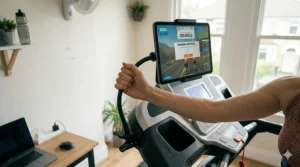
- Tablet (iPad size): Use treadmill’s built-in holder or adjustable floor stand
- Phone: Not recommended for primary display—too small for extended use
- Laptop: Position on small table beside (not in front of) treadmill
For UK homes with limited space, wall-mounting a budget 32-inch TV opposite your treadmill transforms the experience dramatically. Second-hand TVs from CEX or Facebook Marketplace work perfectly—Zwift doesn’t require 4K resolution.
Audio Solutions for Immersive Running
Sound matters more than you’d think. The whoosh of passing runners, the cheer of virtual crowds, and the ambient sounds of Watopia’s jungle all enhance immersion.
Audio options:
- Bluetooth earbuds: Most convenient, but some experience audio lag
- Wired earphones: Zero lag, reliable, cheap
- Bluetooth speakers: Fill the room but disturb housemates
- Treadmill speakers: Built-in speakers on premium models
Pro tip: If using Bluetooth audio, ensure your treadmill and earbuds don’t interfere. Some users report connection drops when running multiple Bluetooth devices simultaneously. Wired earphones eliminate this issue entirely.
Optimising Your Virtual Training Plan
Zwift offers structured workout plans, group runs, and races. UK runners should consider:
Time zone considerations:
- Peak UK Zwift activity: 6-9pm GMT
- Group runs cluster around evenings and weekend mornings
- International races run throughout the day
- Training plans adapt to your schedule automatically
Joining UK-specific groups:
- Multiple UK running clubs host regular Zwift meetups
- Search “Zwift UK Running” for community groups
- British time zones align perfectly with European events
- Strava integration lets you share achievements with local runners
Troubleshooting Common UK Setup Issues
Even with quality equipment, hiccups happen. Here’s how to solve the most frequent problems UK users encounter.
Issue: Treadmill Won’t Connect to Zwift
Solutions:
- Verify Bluetooth is enabled on both treadmill and device
- Restart treadmill completely (power off 30 seconds, restart)
- Close and restart Zwift app
- Check distance—Bluetooth effective range is ~10 metres
- Remove other Bluetooth devices temporarily
- Update treadmill firmware if available
- Try pairing with different device to isolate issue
UK-specific consideration: Some older UK homes have solid brick walls that interfere with Bluetooth signals. If your tablet’s in another room streaming through a door, connectivity weakens. Keep devices within direct line-of-sight to your treadmill.
Issue: Speed in Zwift Doesn’t Match Treadmill
For FTMS treadmills:
- This shouldn’t happen—contact manufacturer support immediately
- Verify treadmill firmware is current
- Check if another app is connected simultaneously
For foot pods:
- Recalibrate at your typical training pace
- Check pod is securely attached and oriented correctly
- Replace battery if over 6 months old
- Consider pod may have shifted during intense intervals
Issue: App Crashes or Lags During Runs
Solutions:
- Close background apps consuming device resources
- Ensure adequate WiFi signal for leaderboard updates
- Lower graphics quality in Zwift settings
- Update Zwift to latest version
- Check device meets minimum specifications
Minimum device specs for smooth Zwift running:
- iOS: iPhone 7 or newer, iPad (5th gen) or newer
- Android: 3GB RAM minimum, 4GB recommended
- Windows: Intel i3 or better, 4GB RAM, graphics card
- Mac: 2014 or newer, macOS 10.12+
Issue: Incline Doesn’t Adjust Automatically
Not all treadmills support automatic incline via FTMS, even if they’re compatible. Check your model’s specifications—many budget treadmills broadcast data to Zwift but don’t accept incline commands back.
If your treadmill does support auto-incline:
- Ensure feature is enabled in Zwift settings
- Verify treadmill’s FTMS implementation is complete
- Check if app permissions are properly granted
- Contact manufacturer support for guidance
Zwift Alternatives: Other Virtual Running Platforms in UK
Whilst Zwift dominates virtual cycling, the running space offers compelling alternatives that work with your Bluetooth treadmill.
Kinomap
Kinomap uses real-world video footage filmed worldwide. Instead of virtual environments, you’re running actual routes through Scottish Highlands, Norwegian fjords, or French countryside. Your treadmill’s incline adjusts automatically to match real terrain elevation changes.
UK pricing: £9.99/month or £79.99/year
Peloton Digital
Peloton’s digital app offers instructor-led treadmill classes without needing a Peloton Tread. Classes range from 20-60 minutes with UK-based instructors available. Compatible with any Bluetooth treadmill.
UK pricing: £12.99/month
RunSocial
Developed specifically for treadmill running, RunSocial creates virtual groups where you run real routes together. Popular with UK running clubs transitioning training indoors during winter.
UK pricing: £9.99/month
Maintaining Your Zwift Treadmill: UK Climate Considerations
British weather influences more than outdoor running plans—humidity and temperature fluctuations affect treadmill maintenance too.
Essential Monthly Maintenance
Lubrication: Most treadmills require belt lubrication every 3-6 months (heavy use requires more frequent servicing). Use silicone-based lubricant specifically designed for treadmills. Apply small amounts under the belt, then run at low speed to distribute evenly.
Belt tension: Belts naturally loosen with use. Test by lifting the belt’s centre—you should manage to lift it 5-8 cm from the deck. If more, tightening is needed (consult your manual for specific adjustment procedure).
Cleaning: Wipe down belt after sweaty Zwift sessions. Salt from sweat can degrade belt material over time. A damp microfibre cloth suffices—avoid harsh chemicals.
Vacuum underneath: UK homes accumulate surprising dust. Every few months, move your treadmill and vacuum underneath. Dust infiltrating the motor housing reduces cooling efficiency and can trigger overheating protection.
UK-Specific Considerations
Humidity: British homes, especially older properties, can be quite damp. Excess humidity accelerates electronic component degradation. If your treadmill lives in a particularly humid room (basement, conservatory), consider a dehumidifier.
Temperature fluctuations: Unheated spare rooms can drop to single digits Celsius overnight during winter. Whilst treadmills handle cold, dramatic temperature swings can affect belt pliability and electronic calibration. Allow 10-15 minutes warm-up time if storing in cold spaces.
Warranty compliance: Most UK treadmill warranties require following manufacturer maintenance schedules. Keep records of lubrication and servicing—some manufacturers void warranties for neglected maintenance.
FAQ: Your Zwift Treadmill Questions Answered
❓ Can I use Zwift on any treadmill without smart features?
❓ Is Zwift running free in the UK, or do I need a subscription?
❓ What's the minimum internet speed needed for Zwift in the UK?
❓ Do I need a special treadmill mat for UK floors?
❓ Can I connect multiple Bluetooth devices to my treadmill simultaneously?
Conclusion: Your Perfect Zwift Treadmill Setup Awaits
Transforming winter training drudgery into immersive virtual adventures doesn’t require commercial gym budgets or complicated technical knowledge. Whether you’re investing £37 in a RunPod or £3,000 in a premium NoblePro treadmill, the zwift compatible treadmill uk setup guide proves that options exist for every budget and running ambition.
The UK market offers exceptional choice—from the brilliant value JTX Sprint-7 at under £1,000 to the flagship NoblePro Elite E10i that rivals equipment in professional training facilities. Each option we’ve covered delivers reliable Zwift connectivity, but your ideal choice depends on personal circumstances: available space, typical training volume, budget constraints, and long-term running goals.
For most UK runners, the sweet spot sits around £1,000-£1,600, where models like the JTX Sprint-7 and NoblePro Elite E8s offer commercial-quality engineering with comprehensive FTMS Bluetooth implementation. These treadmills won’t just get you through winter—they’ll fundamentally change how you approach indoor training.
Remember: Zwift running’s completely free. Your only investment is the equipment itself. No monthly subscriptions to justify, no per-class charges to accumulate. Buy once, run forever through virtual worlds from Watopia to London, Paris to New York.
The revolution in indoor running has arrived, and it’s brilliantly accessible for UK athletes at every level. Your perfect setup—whether budget-friendly or premium-featured—awaits on Amazon.co.uk. The only question remaining: which virtual route will you tackle first?
Recommended for You
- Is an iFit Treadmill UK Subscription Worth It? 7 Key Facts 2026
- 7 Best Bluetooth Treadmill Heart Rate Monitor Compatible UK 2026
- 7 Best Treadmill Compatible with Strava UK 2026
Disclaimer: This article contains affiliate links. If you purchase products through these links, we may earn a small commission at no additional cost to you. Prices shown are approximate and may vary. All products researched were verified available on Amazon.co.uk as of March 2026.
✨ Found this helpful? Share it with your mates! 💬🤗
